.png)

Knowledge Hub
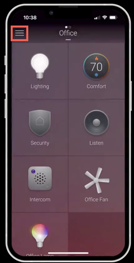
1. Tap the Menu icon in the upper left corner.
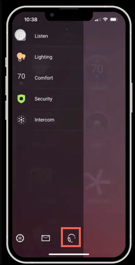
2. Tap the Support icon at the bottom of the menu.
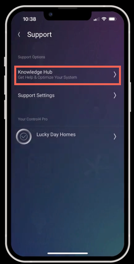
3. Tap Knowledge Hub.
4. Select a topic that you’d like to learn more about.
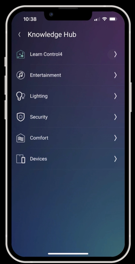
Knowledge Hub topic examples
Learn Control4
- Add Users and Access
- Arrange and Remove Room Favourites
- Change Room Wallpaper
- Contact your Control4 ProEdit Property NameFavourite Devices or Media to a RoomFavourite and Switch Between Rooms
- Manage Notifications
Entertainment
- Control4 Volume in Multiple Rooms
- Listen to Music
- Share Audio Session to Other Rooms
- Watch TV
Lighting
- Activate Lighting Scenes
- Choose Lighting Colour
- Choose Lighting Colour Pre-set
- Control Ceiling Fans
- Control Lights
Security
- Playback Chime Video Doorbell Recordings
Comfort
- Adjust Control4 Thermostat
.png)